Use Ollama Local Model
First, download the Ollama tool. Through it, we can obtain the Deepseek model and start the Deepseek model.
Ollama official website: link
Ollama download: link
Running a Local Deepseek Model
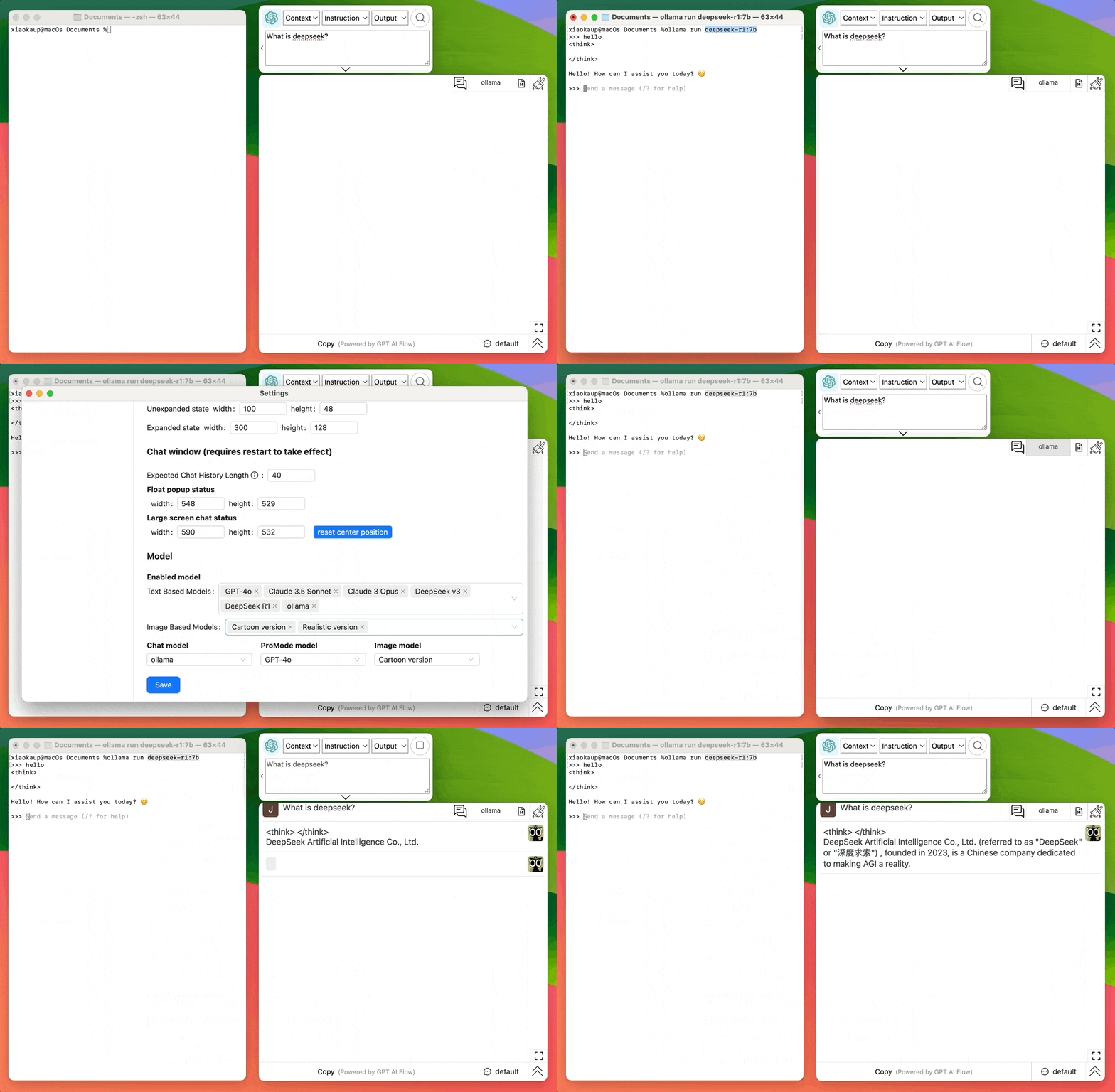
After downloading Ollama, open the command line(CMD, Terminal) on your computer.
Enter the following command to run the Ollama model (choose the appropriate model size based on your computer's configuration):
1.5B Qwen DeepSeek R1
ollama run deepseek-r1:1.5b
7B Qwen DeepSeek R1
ollama run deepseek-r1:7b
8B Llama DeepSeek R1
ollama run deepseek-r1:8b
14B Qwen DeepSeek R1
ollama run deepseek-r1:14b
32B Qwen DeepSeek R1
ollama run deepseek-r1:32b
70B Llama DeepSeek R1
ollama run deepseek-r1:70b
Set up a local model
After running the Ollma model with the above instructions, open the GPT AI Flow software, enter the name of the running model, and then you can use the local model.
Join Us
- Try it now: Download Desktop App
- Contact Email: hello@gptaiflow.com
- Product Feedback:
- Tencent Survey: Click here
- Google Form: Click here
- 💬 Questions? Check the FAQ: Click here
Start using the Obsidian Writing Agents Team today — and let the notes that have been sleeping in your Obsidian grow again.